“The best time tracking system does not watch people for the sake of watching them — it gives teams clear proof of work, cleaner reporting, and fewer unnecessary follow-ups.”
Managing remote and hybrid teams is not difficult because people work from different locations. It becomes difficult when managers cannot clearly understand what work is moving forward, where time is being spent, and which projects need attention.
This is why many businesses search for time tracking software with screenshots. They do not only want a timer. They want better visibility into work hours, task progress, employee activity, project timelines, and daily productivity without constantly interrupting their team for updates.
Basic time tracking tools can show how many hours someone worked. But for agencies, remote teams, operations teams, freelancers, and growing businesses, hours alone are often not enough. Managers need to understand whether tracked time is connected to real project work, client tasks, deadlines, and measurable progress.
At the same time, screenshot tracking must be used carefully. If a company uses screenshots only as surveillance, it can damage trust. If screenshots are used transparently, during work hours, and with clear policies, they can improve accountability, reduce confusion, and make remote work easier to manage.
Businesses increasingly need time tracking software that combines employee time tracking, screenshots, live screen visibility, project management, attendance, and productivity reporting in one connected workspace.
This guide explains what screenshot-based time tracking is, when businesses should use it, what features matter, how to avoid micromanagement, and how Prime Teams helps modern teams track work more clearly.
What Is Time Tracking Software With Screenshots?
Time tracking software with screenshots is a work management system that records employee work hours and captures periodic screenshots or screen activity during tracked time so businesses can review progress, verify work, improve reporting, and manage remote or hybrid teams with better visibility.
Unlike a basic timer, screenshot-based employee time tracking connects work hours with actual work context. It helps managers understand what tasks were being worked on, how long projects took, and whether work was aligned with assigned responsibilities.
For businesses that manage remote employees, freelancers, agencies, or distributed teams, this type of software can reduce unnecessary check-ins and provide a clearer record of daily work activity.
- Employee work hour tracking
- Periodic screenshots during tracked time
- Live screen monitoring when needed
- Recorded work sessions for review
- Project and task-based time logs
- Productivity and activity reports
- Attendance records based on actual work hours
The goal is not to monitor every second of an employee’s day. The real goal is to create reliable work records, improve visibility, and help managers make better decisions using actual work data.
Why Do Remote Teams Need Screenshot-Based Time Tracking?
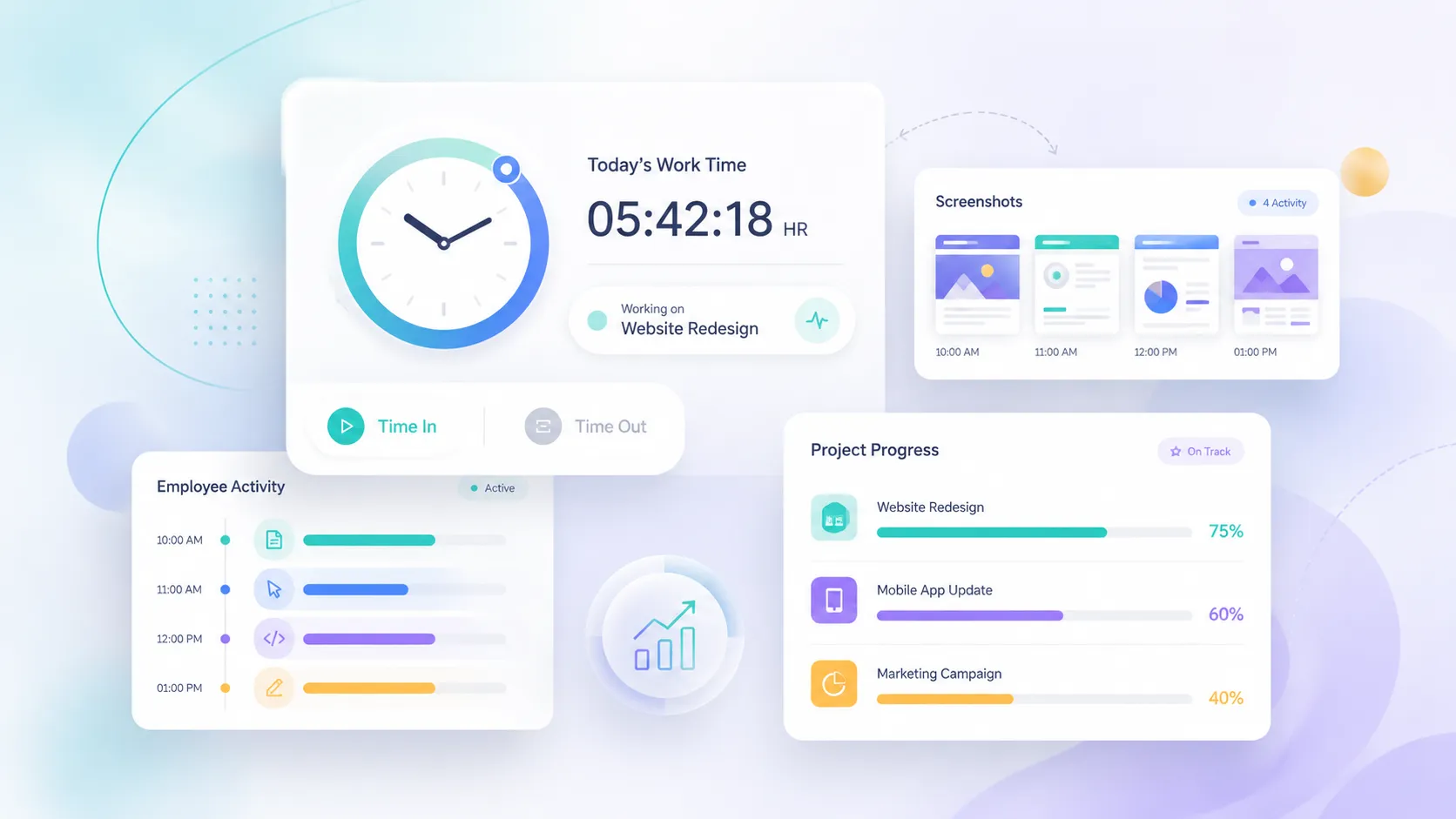
Remote teams need screenshot-based time tracking because managers often lack real-time visibility into work progress, project activity, and employee workload when teams are working from different locations.
In an office, managers can understand work progress through daily conversations, team discussions, and direct observation. In remote work, those signals are weaker. A manager may see that someone is online, but that does not always explain what task they are working on, whether a project is delayed, or how much time is going into client work.
Gallup’s hybrid work research shows that most remote-capable employees prefer hybrid or remote arrangements, which means businesses need better systems to manage flexible work without relying on office-based supervision. Gallup reports that six in ten remote-capable employees want hybrid work, while about one-third prefer fully remote work.
This shift creates a practical management problem: companies need visibility, but employees need trust. Screenshot-based time tracking can help when it is used as a transparent work record instead of a hidden monitoring tool.
- Managers can verify work progress without constant messages
- Employees can show proof of work clearly
- Agencies can track billable hours more accurately
- Remote teams can reduce status update meetings
- Businesses can connect work hours with actual tasks
- Leadership can identify workload gaps earlier
For remote and hybrid teams, screenshot time tracking works best when everyone understands what is tracked, when tracking happens, and how the data will be used.
Time Tracking With Screenshots vs Basic Time Tracking
Time tracking with screenshots gives businesses more work context than basic time tracking because it connects recorded hours with visible activity, project progress, and task-level evidence.
Basic time tracking is useful when a business only needs attendance records, payroll hours, or simple timesheets. Screenshot-based tracking is more useful when a business needs stronger visibility into remote work, client billing, project accountability, and productivity patterns.
| Feature | Basic Time Tracking | Time Tracking With Screenshots | Best For |
|---|---|---|---|
| Work hour tracking | Yes | Yes | Payroll, attendance, and timesheets |
| Task-level visibility | Limited | Strong | Remote teams and project managers |
| Proof of work | Weak | Strong | Agencies, freelancers, and client work |
| Productivity review | Basic reports | Screenshots, activity, and reports | Managers who need better work visibility |
| Remote team monitoring | Limited | Better visibility | Remote and hybrid teams |
| Risk of micromanagement | Lower | Depends on company policy | Teams with transparent tracking rules |
The better option depends on how your team works. If you only need clock-in and clock-out records, basic tracking may be enough. If your business needs to connect time with real project work, screenshot-based tracking is usually more useful.
When Should a Business Use Time Tracking Software With Screenshots?
A business should use time tracking software with screenshots when it needs clearer visibility into remote work, project progress, billable hours, employee activity, or task execution across distributed teams.
Screenshot-based time tracking is most useful when work is digital, project-based, remote, client-facing, or deadline-driven. It helps businesses understand how work is actually moving without asking employees for manual updates throughout the day.
- Remote teams: To understand work progress without constant check-ins.
- Hybrid teams: To maintain consistent visibility across office and remote employees.
- Agencies: To track billable hours across clients, campaigns, and projects.
- Software teams: To connect work hours with development tasks, tickets, and project progress.
- Freelancer-based teams: To verify work activity and maintain transparent client records.
- Operations teams: To review daily work patterns and improve workflow planning.
This type of tracking is not suitable for every role. Teams handling highly sensitive personal data, confidential legal matters, private health information, or non-digital field work may need different tracking rules or limited screenshot settings.
How Screenshot Tracking Helps Reduce Unnecessary Follow-Ups
Screenshot tracking helps reduce unnecessary follow-ups by giving managers a clear work record they can review before interrupting employees for status updates.
One of the hidden productivity problems in remote work is the constant cycle of checking, asking, replying, explaining, and updating. Managers ask for progress because they do not have visibility. Employees stop work to explain progress because the system does not show it clearly.
The American Psychological Association has reported that switching between tasks can create mental blocks and may cost a large share of productive time. APA’s research summary notes that task switching can cost as much as 40% of someone’s productive time.
Screenshot-based time tracking can reduce some of this friction. Instead of sending multiple messages like “What are you working on?” or “Can you share progress?”, managers can review tracked activity, screenshots, task logs, and project reports.
- Fewer manual status update requests
- Less interruption during focused work
- Clearer project progress history
- Better proof of work for completed tasks
- More accurate project reviews
- Faster client reporting for agencies
The result is not just better monitoring. The bigger benefit is smoother communication because work data is already available when managers need it.
What Features Should Time Tracking Software With Screenshots Include?
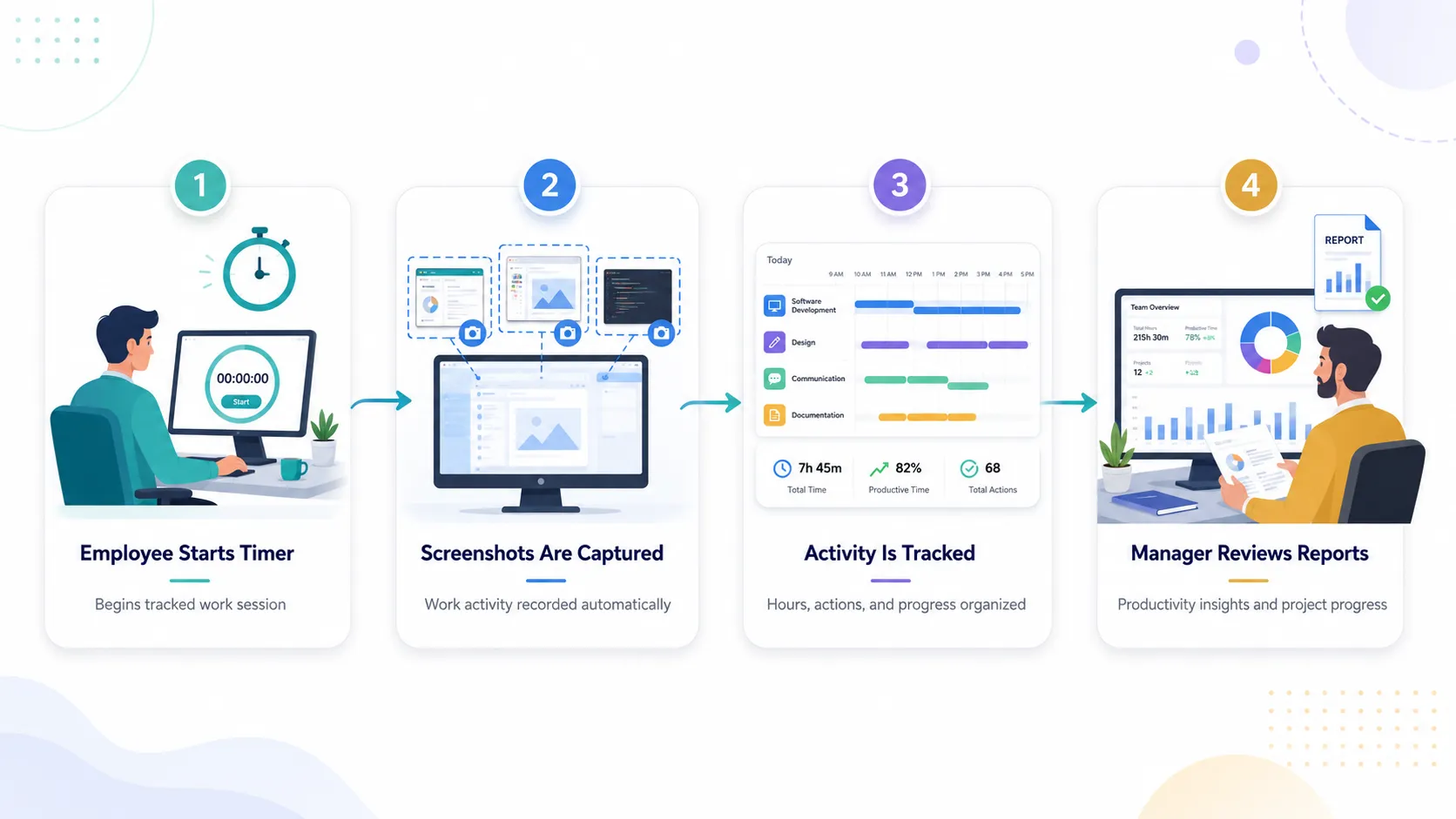
The best time tracking software with screenshots should include accurate work hour tracking, project-based time logs, screenshot capture, activity history, reporting, attendance, privacy controls, and team management features.
Businesses should avoid choosing a tool only because it captures screenshots. Screenshot tracking is useful only when it is connected to the full workflow: projects, tasks, attendance, team visibility, and reporting.
- Automatic time tracking: Employees should be able to track work hours clearly without complicated manual processes.
- Project and task selection: Every tracked session should connect to the correct project or task.
- Screenshot capture: Managers should be able to review work activity during tracked time.
- Live screen monitoring: Businesses should be able to check active work when real-time visibility is needed.
- Recorded sessions: Work history should be available for later review, quality checks, or client reporting.
- Idle time detection: The system should help maintain accurate time records by identifying inactivity.
- Manual time approval: Employees should be able to submit missed time entries with manager approval.
- Attendance tracking: Work hours should support daily attendance records such as present, half day, short leave, and working hours.
- Reports and analytics: Managers should be able to review work hours, project activity, employee performance, and team utilization.
- Privacy-aware settings: Tracking should be transparent and limited to work-related activity.
A strong time tracking app should help the business manage work better, not simply collect more data.
How to Use Screenshot Tracking Without Micromanaging Employees
Businesses can use screenshot tracking without micromanaging employees by setting clear expectations, tracking only during work hours, explaining why screenshots are used, and focusing on work outcomes instead of judging every small activity.
Screenshot tracking becomes a problem when employees feel the company is looking for mistakes. It becomes useful when employees understand that screenshots are there to support transparency, accurate billing, better workload planning, and fewer unnecessary follow-ups.
A healthy screenshot tracking policy should answer simple questions before tracking begins:
- What will be tracked?
- When will tracking happen?
- Who can view screenshots?
- Will personal activity be excluded?
- How will the data be used in reviews?
Managers should also avoid reviewing screenshots as if every minute needs to look busy. Good work often includes reading, researching, testing, thinking, planning, reviewing, and problem-solving. Not every valuable task looks active on a screen every second.
The right approach is to look for patterns, not isolated moments. If a project is delayed, screenshots and time logs can help explain where time went. If a team member is overloaded, reports can help balance work. If a client questions hours, tracked records can support billing transparency.
Best Practices for Employee Time Tracking With Screenshots
The best way to use employee time tracking with screenshots is to make tracking transparent, connect time to projects, limit monitoring to work activity, review data responsibly, and use reports to improve workflows rather than pressure employees.
A business should treat screenshot tracking as an operational visibility tool. It should support better project management, not create fear. Employees are more likely to accept monitoring when the company clearly explains the reason and uses it fairly.
- Be transparent from the beginning: Tell employees what the software tracks before using it.
- Track during work hours only: Avoid collecting personal or non-work activity.
- Connect tracking to tasks: Ask employees to select the right project or task before starting work.
- Use reports for improvement: Review trends, workload gaps, project delays, and capacity issues.
- Avoid screenshot-by-screenshot judgment: Focus on overall performance and completed work.
- Give employees access to their data: Employees should understand their own hours and activity history.
- Protect sensitive information: Define rules for confidential work, personal data, and private screens.
Responsible screenshot tracking creates a better balance between accountability and trust. It gives managers visibility while helping employees prove their work without writing long status reports every day.
How Screenshot-Based Time Tracking Supports Client Billing
Screenshot-based time tracking supports client billing by giving agencies and service teams clearer records of how much time was spent on each client, project, task, or deliverable.
For agencies, consultants, developers, designers, virtual assistants, and outsourced teams, time records directly affect revenue. If time is tracked poorly, invoices become harder to justify. If work is not connected to screenshots or task history, clients may question what was completed.
With screenshot-supported time tracking, businesses can maintain clearer records across:
- Client projects
- Billable and non-billable hours
- Task-level work logs
- Daily and weekly productivity reports
- Project delivery timelines
- Freelancer or contractor activity
This does not mean every client should receive screenshots. In many cases, screenshots are mainly for internal verification and quality control. But having reliable work records helps agencies answer billing questions faster and manage client work with more confidence.
How Time Tracking With Screenshots Improves Project Management
Time tracking with screenshots improves project management by helping managers understand how work hours are distributed across tasks, deadlines, employees, projects, and client deliverables.
Project management becomes difficult when task updates and work hours live in separate systems. A project board may show that a task is “in progress,” but it may not show how many hours have already been spent. A timesheet may show eight hours worked, but it may not show which project received those hours.
This is why businesses often need project management software with time tracking instead of separate tools.
When time tracking and project management work together, managers can:
- Assign tasks and track time in one workflow
- Understand which projects consume the most hours
- Review workload distribution across team members
- Find tasks that are taking longer than expected
- Improve future project estimates
- Keep remote teams aligned with deadlines
A connected system helps teams move from guesswork to evidence-based project planning.
What Is the Difference Between Employee Monitoring and Time Tracking?
Employee monitoring focuses on observing work activity, while time tracking focuses on recording work hours; modern workforce software often combines both to help businesses manage productivity, accountability, attendance, and project visibility.
The difference matters because businesses should not confuse visibility with control. Time tracking answers the question: “How much time was worked?” Employee monitoring answers the question: “What activity happened during that time?” Project management answers the question: “Which task or project moved forward?”
| Category | Time Tracking | Employee Monitoring | Project Management |
|---|---|---|---|
| Main purpose | Record work hours | Review work activity | Organize work and deadlines |
| Common features | Timers, timesheets, attendance | Screenshots, activity, live screen view | Tasks, boards, projects, workflows |
| Best use case | Payroll, billing, attendance | Remote visibility and accountability | Project planning and execution |
| Biggest risk | Incomplete records | Employee trust concerns | Poor adoption if too complex |
| Best approach | Make tracking simple | Use transparent policies | Keep workflows clear |
The strongest systems combine all three carefully. They track time, show work activity when needed, and keep tasks organized in one place.
Common Mistakes Businesses Make With Screenshot Monitoring
The most common mistake businesses make with screenshot monitoring is using it as a control tool instead of a transparency tool for improving work visibility, project reporting, and accountability.
Screenshot tracking can help teams, but poor implementation can create stress, confusion, and resistance. The software is only one part of the process. The company’s policy, communication, and management style matter just as much.
- Tracking without explaining: Employees should know what is being tracked and why.
- Judging single screenshots: One screenshot rarely tells the full story of someone’s workday.
- Ignoring project context: Screenshots should be reviewed with task logs, deadlines, and deliverables.
- Using too many disconnected tools: Separate time tracking, project management, and reporting tools create more admin work.
- Not setting privacy rules: Businesses should define what happens during breaks, personal activity, or sensitive work.
- Only using data for discipline: Tracking data should also help with workload planning, client reporting, and process improvement.
A better approach is to use screenshot monitoring as part of a complete workflow system where everyone understands the purpose.
How Prime Teams Helps Businesses Track Work Clearly
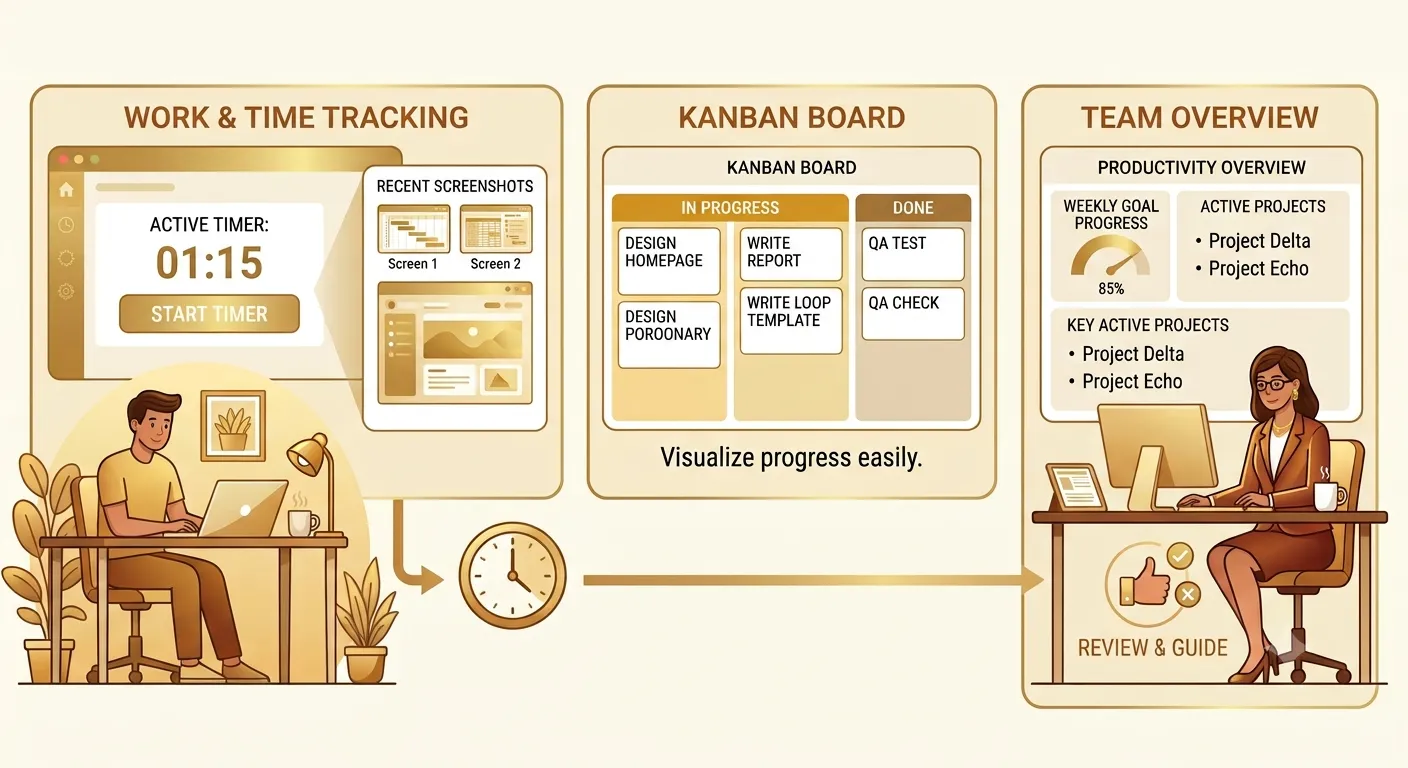
Prime Teams helps businesses track work clearly by combining time tracking, screenshots, live screen monitoring, recorded sessions, project management, attendance tracking, and productivity reports in one platform.
Instead of using one tool for timesheets, another for task management, another for screenshots, and another for attendance, Prime Teams gives teams a connected system for managing daily work.
With Prime Teams time tracking software , businesses can track work hours accurately, understand project activity, review screenshots and recorded sessions, and manage remote or hybrid teams with better visibility.
- Live screen monitoring: View active work when real-time visibility is needed.
- Recorded sessions: Review work history and screenshots when checking progress.
- Project-based time tracking: Connect every tracked session to the right project or task.
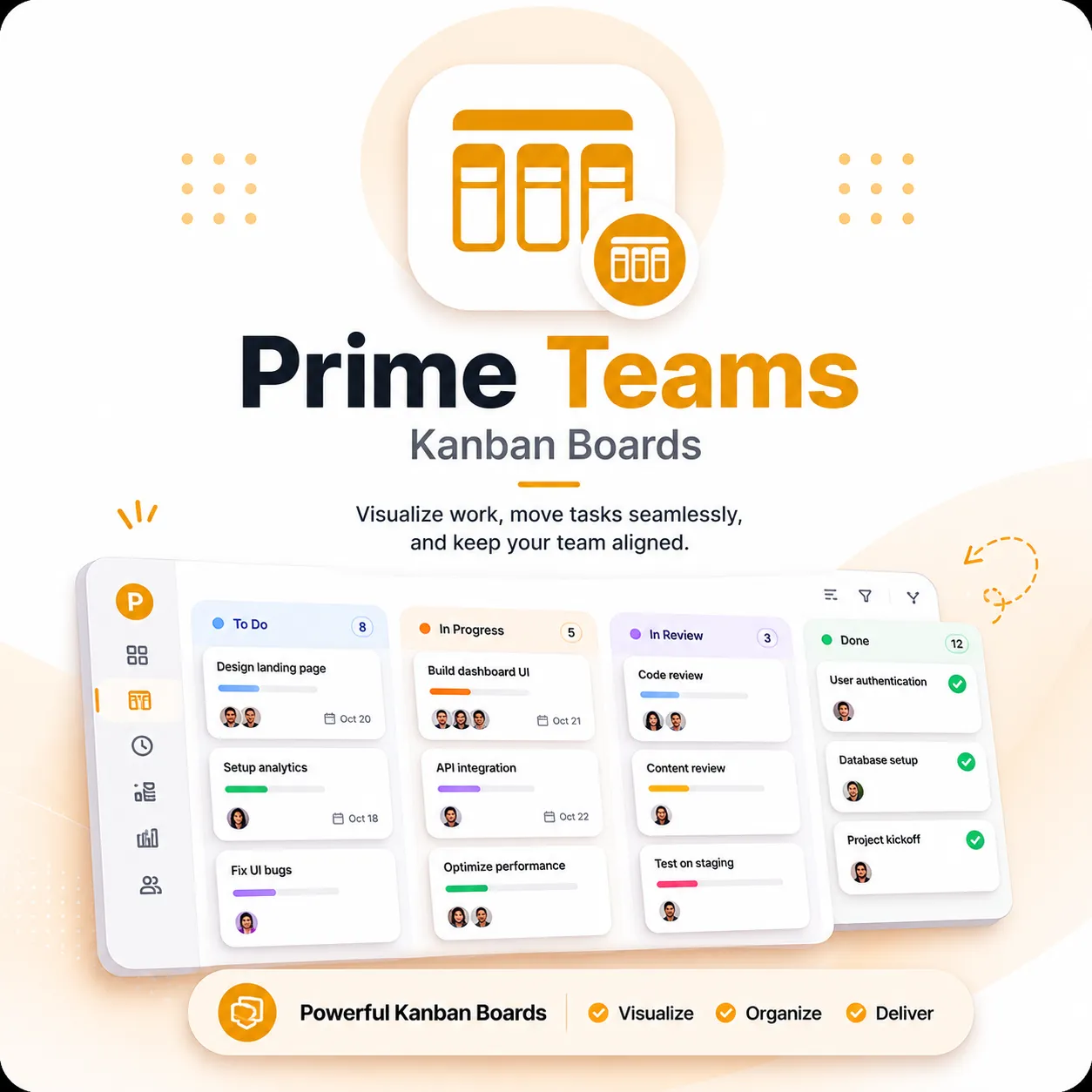
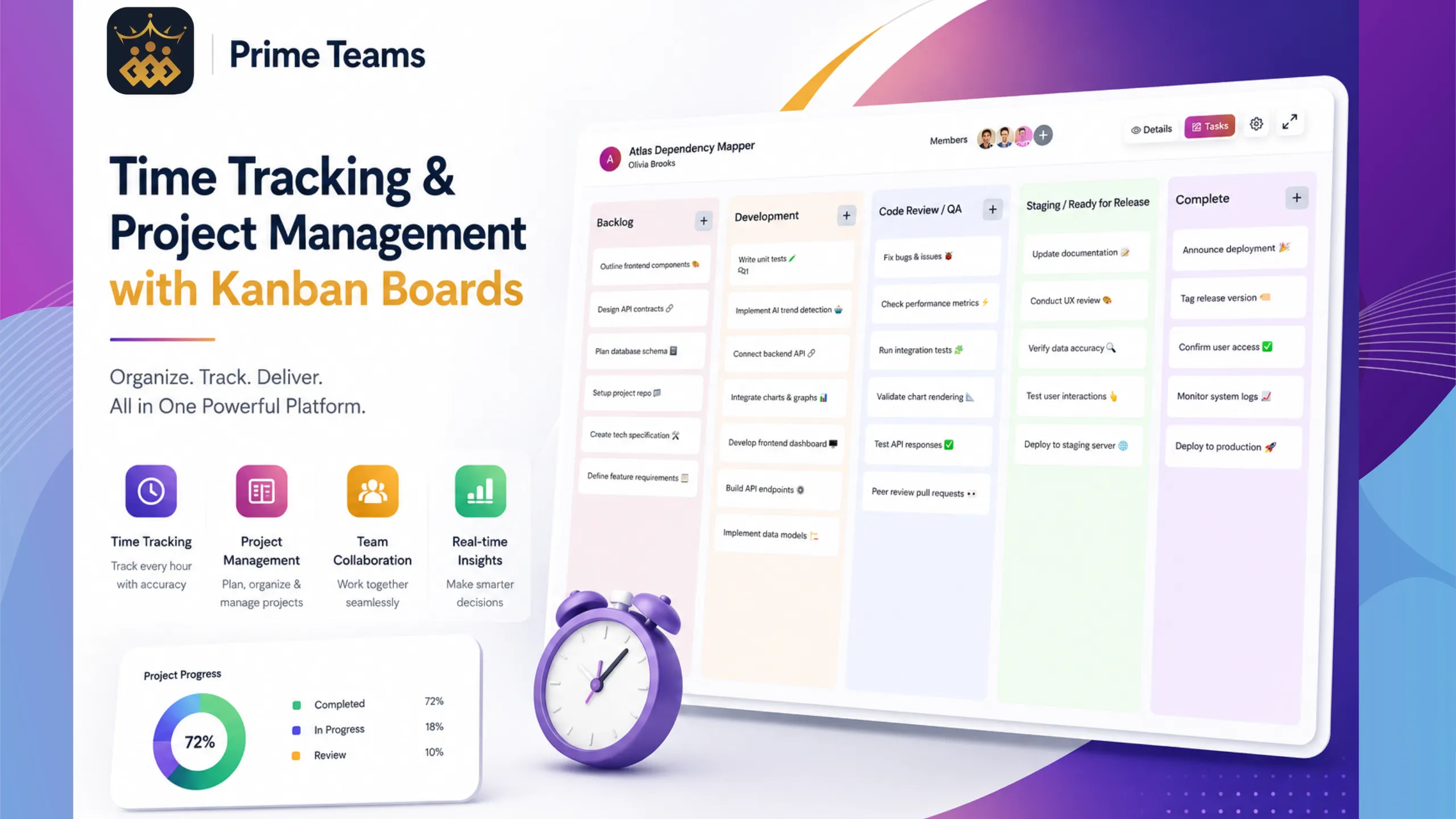
- Kanban project management: Organize work visually and keep tasks moving.
- Attendance tracking: Manage attendance using actual recorded work hours.
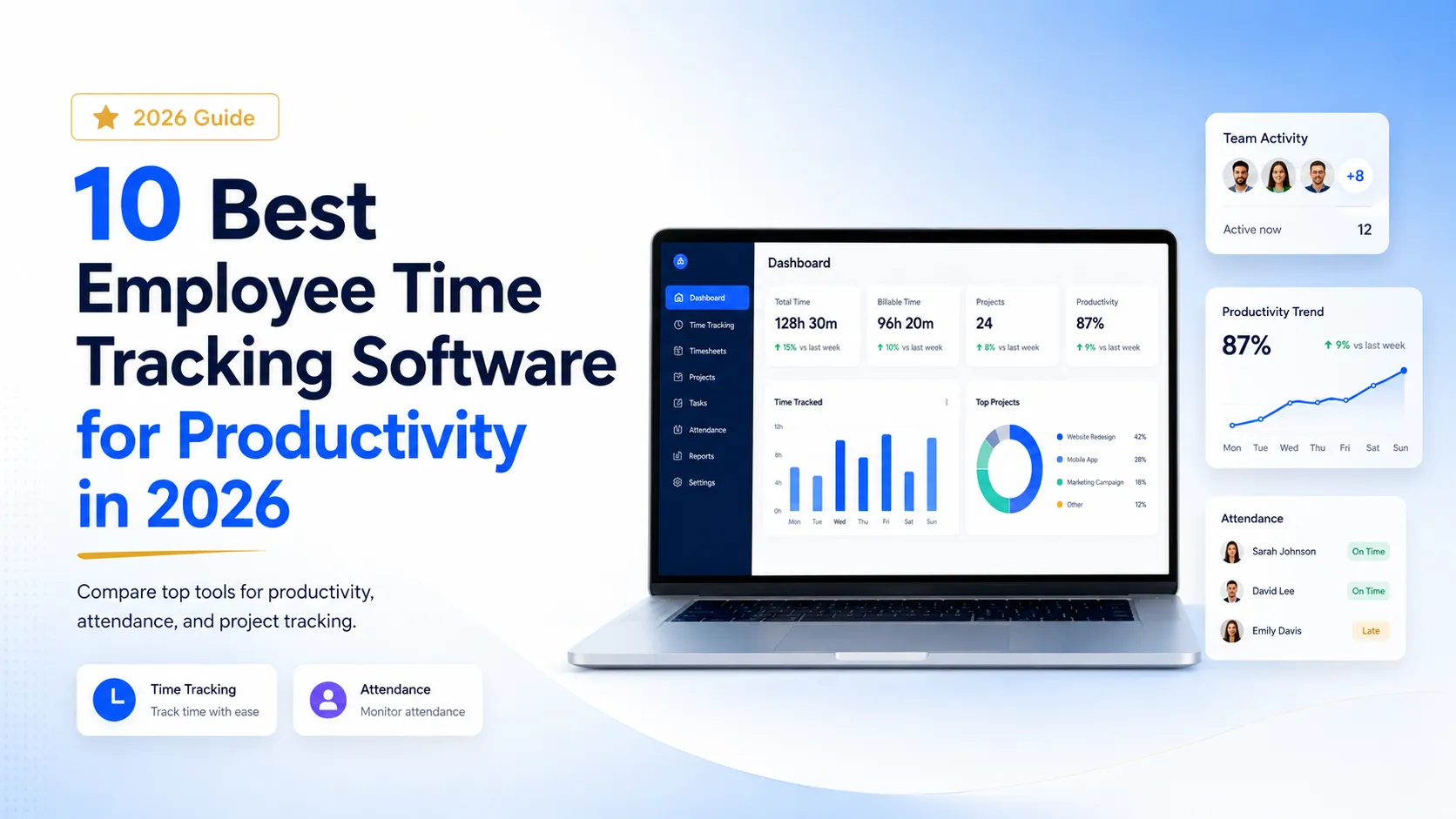
- Detailed reports: Review worked hours, project activity, and team productivity from one dashboard.
- Remote and hybrid team support: Maintain visibility across distributed teams without constant follow-ups.
Prime Teams is useful for agencies, software teams, remote teams, hybrid teams, business owners, and managers who need a practical way to track work without managing everything manually.
Track Work Hours, Screenshots, Projects, and Productivity From One Platform
Prime Teams helps modern teams manage employee time tracking, screenshots, live screen visibility, Kanban projects, attendance, and reporting in one connected workspace.
Who Should Use Prime Teams for Screenshot-Based Time Tracking?
Prime Teams is suitable for businesses that need employee time tracking, screenshot visibility, project management, attendance tracking, and productivity reporting in one connected platform.
It is especially useful for teams that manage digital work, client projects, remote employees, freelancers, or hybrid work operations.
- Remote teams: Track work hours and understand progress without constant status messages.
- Agencies: Track billable hours across clients, tasks, campaigns, and projects.
- Software companies: Connect work hours with development tasks and project progress.
- Business owners: Maintain visibility across teams without using multiple disconnected tools.
- Hybrid teams: Manage office and remote employees with consistent work hour tracking.
- Teams working with freelancers: Review work activity and maintain clearer project records.
Businesses that only need simple attendance may not need screenshot-based tracking. But if your team handles project-based digital work, screenshots can give helpful context behind recorded hours.
How to Choose the Best Time Tracking Software With Screenshots
To choose the best time tracking software with screenshots, businesses should compare accuracy, ease of use, project tracking, screenshot controls, reporting, attendance features, privacy options, and team adoption.
A time tracking app should be easy enough for employees to use daily and powerful enough for managers to understand project progress. If the software is too complicated, employees will avoid it. If it is too basic, managers will still need spreadsheets, manual updates, or extra tools.
- Does it track time by project and task?
- Does it capture screenshots during tracked work?
- Does it provide live screen visibility when needed?
- Does it support recorded work sessions?
- Does it include attendance tracking?
- Does it generate clear productivity reports?
- Does it help managers review team utilization?
- Does it support remote and hybrid teams?
- Does it reduce the need for multiple tools?
- Does it feel transparent and fair for employees?
The best choice is usually not the tool with the most aggressive monitoring. The best choice is the tool that gives the right level of visibility while keeping daily work simple, organized, and transparent.
Frequently Asked Questions
What is time tracking software with screenshots?
Time tracking software with screenshots records employee work hours and captures screenshots during tracked sessions so businesses can review work activity, project progress, and productivity more clearly. It is commonly used by remote teams, agencies, freelancers, and businesses that need proof of work.
Is screenshot-based time tracking good for remote teams?
Yes. Screenshot-based time tracking can be useful for remote teams because it gives managers better visibility into work activity without relying only on messages, meetings, or manual updates. It works best when tracking is transparent and limited to work-related activity.
Is time tracking with screenshots the same as employee monitoring?
Not exactly. Time tracking records work hours, while employee monitoring reviews work activity. Screenshot-based time tracking combines both by showing what happened during tracked work time. Businesses should use it responsibly with clear policies and employee awareness.
Can screenshots help with client billing?
Yes. Screenshots can support client billing by giving agencies and service teams clearer records of billable work, project activity, and time spent on tasks. Many businesses use screenshots internally to verify work before preparing reports or invoices.
How often should employee screenshots be captured?
Screenshot frequency depends on the business, role, and privacy expectations. Companies should avoid excessive screenshot capture and use a reasonable setting that supports work visibility without making employees feel micromanaged.
What features should screenshot time tracking software include?
Screenshot time tracking software should include automatic time tracking, project-based time logs, screenshot capture, live screen monitoring, recorded sessions, idle time detection, reports, attendance tracking, manual time approval, and privacy-aware settings.
Can Prime Teams be used for time tracking with screenshots?
Yes. Prime Teams includes employee time tracking, screenshots, live screen monitoring, recorded sessions, project management, attendance tracking, and detailed reports. It helps businesses track work hours and manage team productivity from one centralized platform.
Does screenshot tracking reduce micromanagement?
Screenshot tracking can reduce micromanagement when it replaces constant check-ins with clear work records. However, it can create micromanagement if managers review every screenshot too aggressively. The best approach is to focus on patterns, outcomes, and project progress.
Conclusion
Time tracking software with screenshots helps businesses understand work hours, project progress, employee activity, and remote team productivity with more clarity.
For remote teams, hybrid teams, agencies, freelancers, and growing businesses, basic timers are often not enough. Managers need to know how time connects to real tasks, client work, project timelines, and team performance.
Screenshot-based tracking works best when it is transparent, fair, and connected to project management. It should reduce confusion, improve reporting, support client billing, and help teams work with fewer interruptions.
Businesses should avoid using screenshots as a pressure tool. The better approach is to use screenshots as work context: a way to understand progress, review activity, and improve operational decisions.
If you are looking for a connected platform that combines employee time tracking, screenshots, live screen monitoring, recorded sessions, Kanban project management, attendance, and reporting, explore Prime Teams Time Tracking Software .
Track work hours, manage projects, review activity, improve accountability, and support remote or hybrid teams from one centralized workspace.
Related Posts