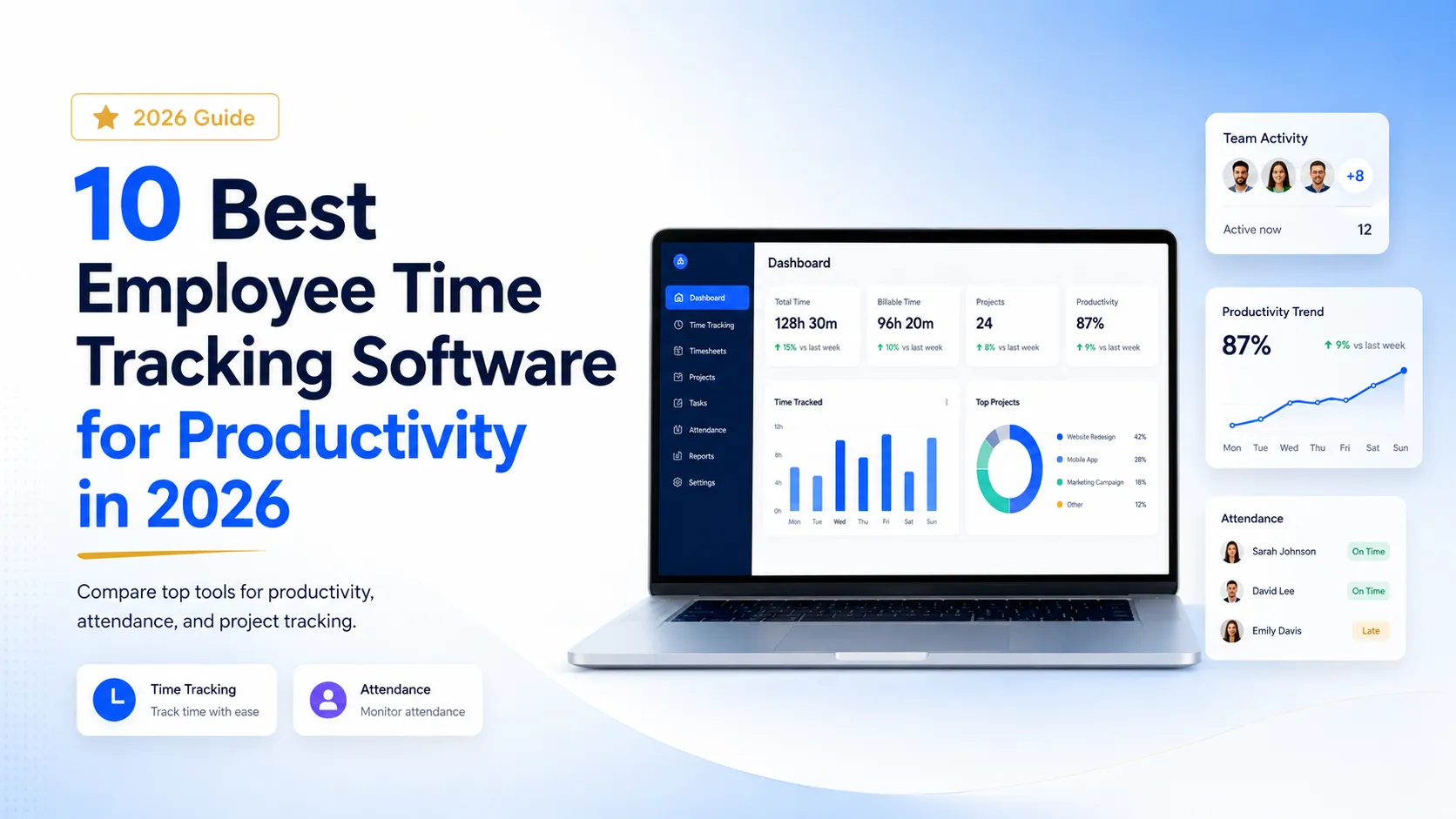
“The best time tracking software does not just record hours—it helps businesses improve productivity, accountability, and project visibility.”
Choosing the right time tracking software is one of the most important decisions for modern businesses. Whether your team works remotely, from the office, or in a hybrid setup, tracking work hours accurately can help improve productivity, reduce wasted time, manage attendance, and make project execution more transparent.
In 2026, businesses need more than a basic timer. They need employee time tracking software that connects work hours with productivity reports, attendance, project management, screenshots, screen activity, client billing, and team performance.
In this guide, we compare the 10 best employee time tracking software platforms for productivity in 2026. We look at their key features, best use cases, strengths, limitations, and which type of team should choose each tool.
Quick Comparison of the Best Time Tracking Software in 2026
| Rank | Software | Best For | Main Strength |
|---|---|---|---|
| 1 | Prime Teams | Remote teams, agencies, IT companies, and growing businesses | Time tracking, live screen monitoring, screenshots, screen recordings, Kanban boards, attendance, and reports |
| 2 | Hubstaff | Remote and field teams | Time tracking, GPS tracking, geofencing, workforce management, invoicing, and payroll/payment support |
| 3 | Time Doctor | Distributed teams | Time tracking, employee monitoring, workforce analytics, and productivity insights |
| 4 | Clockify | Freelancers and small teams | Simple time tracking, timesheets, billable hours, reports, and optional screenshots |
| 5 | Toggl Track | Consultants and creative teams | Simple time tracking, reports, billable hours, idle detection, and flexible work tracking |
| 6 | Insightful | Workforce analytics | Employee activity data, productivity insights, workforce analytics, and performance trends |
| 7 | DeskTime | Automatic productivity tracking | Automatic time tracking, productivity analysis, app/website tracking, attendance, and reports |
| 8 | Everhour | Project budgeting and billing | Time tracking, budgeting, billing, invoicing, expense tracking, and integrations |
| 9 | Harvest | Agencies and consultants | Time tracking, expenses, invoicing, reporting, and project profitability insights |
| 10 | RescueTime | Personal productivity | Automatic activity tracking, focus sessions, distraction blocking, goals, and productivity reports |
What Is Time Tracking Software?
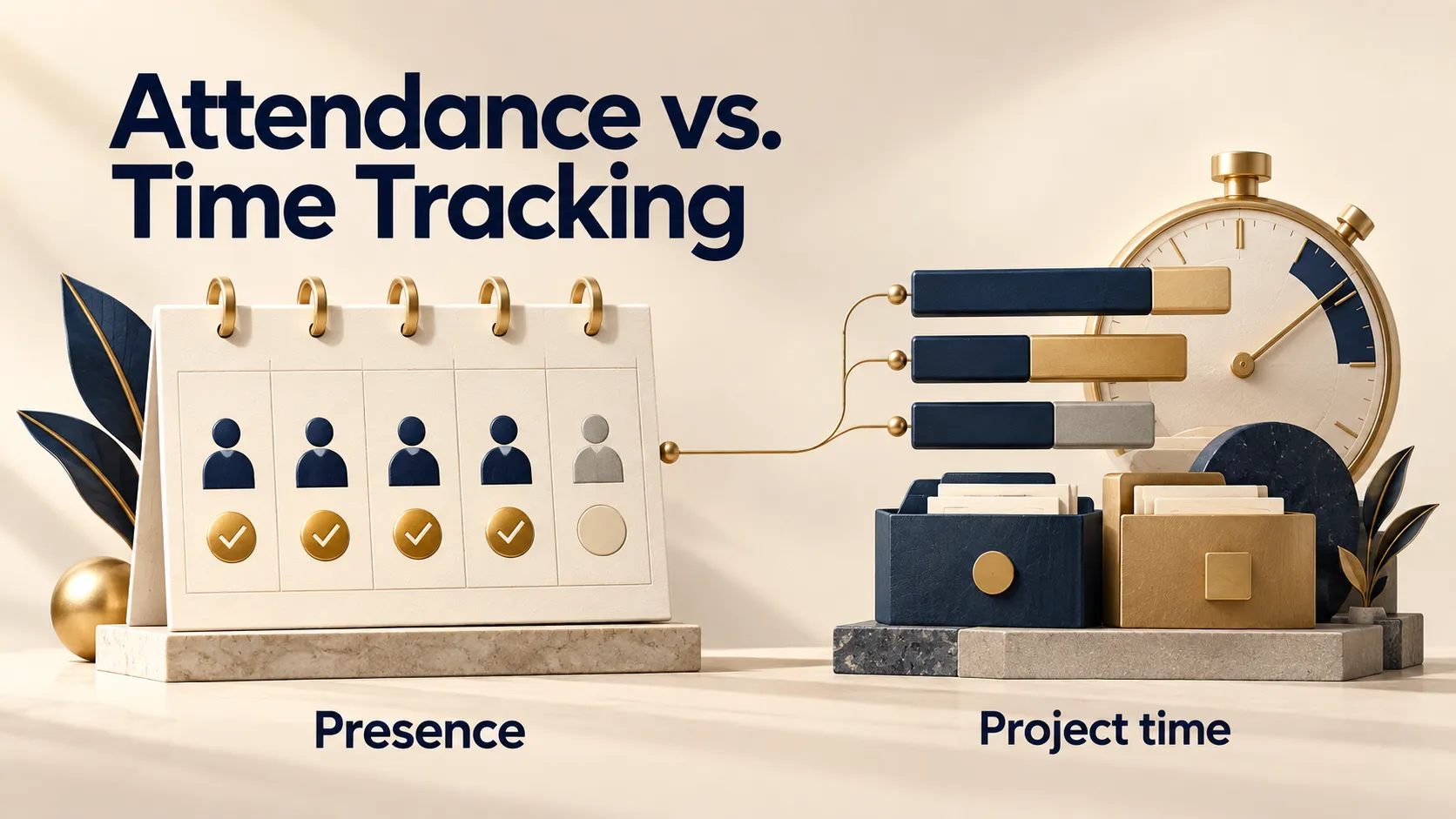
Time tracking software is a digital tool that helps businesses track employee work hours, project time, billable hours, attendance, and productivity. It replaces manual timesheets with accurate digital records and gives managers better visibility into how time is spent.
Modern time tracking software can include automatic time tracking, manual time entries, screenshots, screen recordings, live screen monitoring, idle time detection, attendance tracking, app usage reports, project management, invoicing, and productivity analytics.
For businesses managing remote teams, hybrid teams, agencies, freelancers, and client projects, time tracking software helps improve accountability, reduce confusion, and make work more measurable.
Why Businesses Need Time Tracking Software
Businesses need time tracking software because work is becoming more flexible, distributed, and project-based. Managers need to understand not only when employees are working but also how time is being used across tasks, projects, and clients.
- Improve Productivity: Understand where work hours are spent and identify productivity gaps.
- Track Remote Employees: Manage remote teams with better visibility and accountability.
- Improve Attendance: Track clock-ins, clock-outs, breaks, and total work hours.
- Manage Projects Better: Connect time tracking with tasks, projects, and deadlines.
- Improve Client Billing: Track billable hours accurately for client work.
- Reduce Manual Errors: Replace spreadsheets and manual timesheets with accurate reports.
- Make Better Decisions: Use productivity reports and work data to improve operations.
How We Selected These Time Tracking Software Tools
To create this list, we evaluated each time tracking software based on the features businesses need most in 2026. We looked at time tracking depth, manual and automatic tracking options, employee monitoring features, attendance support, project management capabilities, reporting quality, remote team suitability, integrations, ease of use, and overall value for businesses of different sizes.
We also considered how each tool fits different business needs. Some tools are better for field teams, some are better for freelancers, some are stronger for billing and invoicing, and some are more suitable for businesses that need employee monitoring, screenshots, attendance tracking, and project management together.
- Time tracking accuracy
- Automatic and manual tracking options
- Employee monitoring and visibility features
- Screenshots, screen recordings, or activity tracking
- Attendance tracking and timesheets
- Project management and task tracking
- Reporting and productivity analytics
- Remote team and agency support
- Ease of use and adoption
- Overall value for growing teams
Feature Comparison: Which Time Tracking Software Fits Your Team?
| Software | Best Fit | Monitoring Strength | Project/Billing Strength | Best Decision |
|---|---|---|---|---|
| Prime Teams | Remote teams, agencies, IT teams, growing businesses | Live screen monitoring, screenshots, screen recordings, attendance, productivity reports | Kanban boards, project management, client/project organization | Choose if you need time tracking, monitoring, attendance, reports, and project management in one platform. |
| Hubstaff | Remote teams, mobile teams, field teams | GPS tracking, geofencing, productivity monitoring, app/URL tracking | Timesheets, invoicing, workforce reports, payroll/payment workflows | Choose if you manage field employees or mobile teams that need GPS and geofencing. |
| Time Doctor | Distributed teams and workforce analytics | Employee monitoring, app/website usage, optional screenshots, productivity analytics | Useful reports and workforce insights | Choose if analytics and employee productivity visibility are more important than visual project workflows. |
| Clockify | Freelancers, consultants, small teams | Basic tracking with optional screenshots on paid plans | Timesheets, billable hours, project/client tracking | Choose if you need simple time tracking and timesheets without a heavy monitoring setup. |
| Toggl Track | Consultants, creative teams, freelancers | Lightweight tracking, idle detection, automated tracking support | Project/client tracking, billable hours, reports | Choose if your team values simple, flexible, privacy-friendly time tracking. |
| Insightful | Workforce analytics and productivity management | Work activity data, productivity insights, app/website usage insights | Analytics-focused rather than project-management-first | Choose if you need deep productivity analytics and work activity trends. |
| DeskTime | Automatic productivity tracking | Automatic tracking, app/website tracking, screenshots, productivity calculation | Project tracking, reports, dashboards, attendance, absence tracking | Choose if you want automatic tracking with productivity and attendance visibility. |
| Everhour | Project budgeting and billing | Not mainly built around employee monitoring | Budgets, billing, invoicing, expenses, integrations | Choose if project profitability, budgets, and invoicing are your main priorities. |
| Harvest | Agencies, consultants, service businesses | Limited employee monitoring | Time tracking, expenses, invoicing, reporting | Choose if you need simple time tracking, expenses, and invoicing for client work. |
| RescueTime | Personal productivity and focus improvement | Automatic app/website tracking and focus tools | Timesheets and project tracking available depending on plan | Choose if your priority is personal focus, distraction reduction, and productivity habits. |
Pricing note: Pricing and plan availability can change frequently. Before choosing a tool, check the official pricing page for the latest plan details, feature limits, and add-ons.
1. Prime Teams — Best Overall Time Tracking Software for Productivity
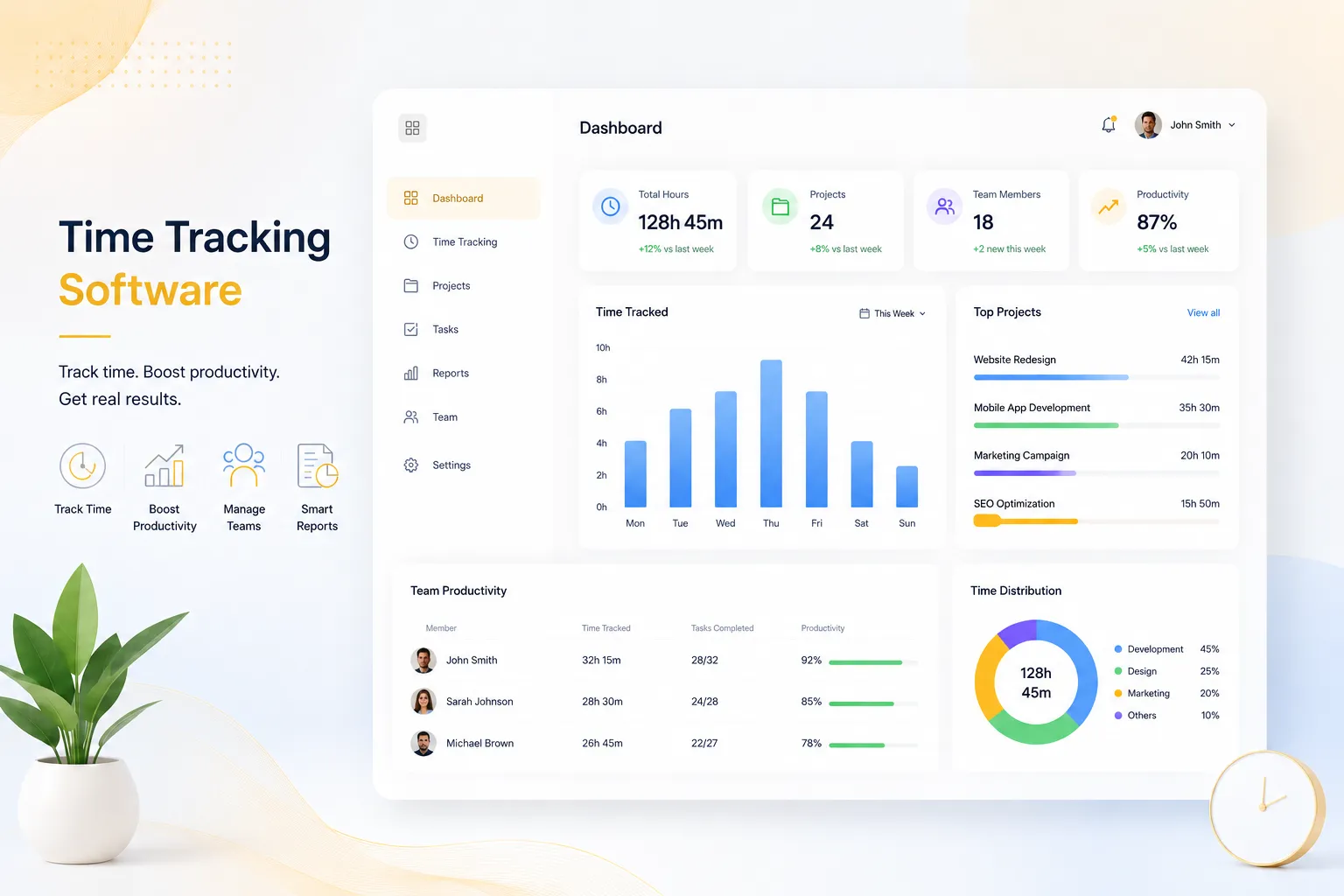
Prime Teams is an all-in-one time tracking software built for businesses that want complete visibility into employee productivity, attendance, project progress, and remote work activity.
Prime Teams combines time tracking, live screen monitoring, screenshots, screen recordings, attendance tracking, Kanban boards, project management, team management, client management, and productivity reports in one platform.
Unlike basic time tracking tools that only record hours, Prime Teams helps managers understand what happens during those hours. This makes it especially useful for remote teams, hybrid teams, IT companies, agencies, software development teams, and businesses that need better work visibility.
Key Features of Prime Teams
- Employee Time Tracking: Track employee work hours across projects, tasks, and teams.
- Live Screen Monitoring: View active employee screens in real time.
- Screenshot Tracking: Capture screenshots during tracked sessions for better productivity visibility.
- Screen Recording: Review recorded work sessions when deeper visibility is required.
- Attendance Tracking: Track clock-ins, clock-outs, breaks, and total working hours.
- Project Management: Manage projects, tasks, deadlines, and team workflows.
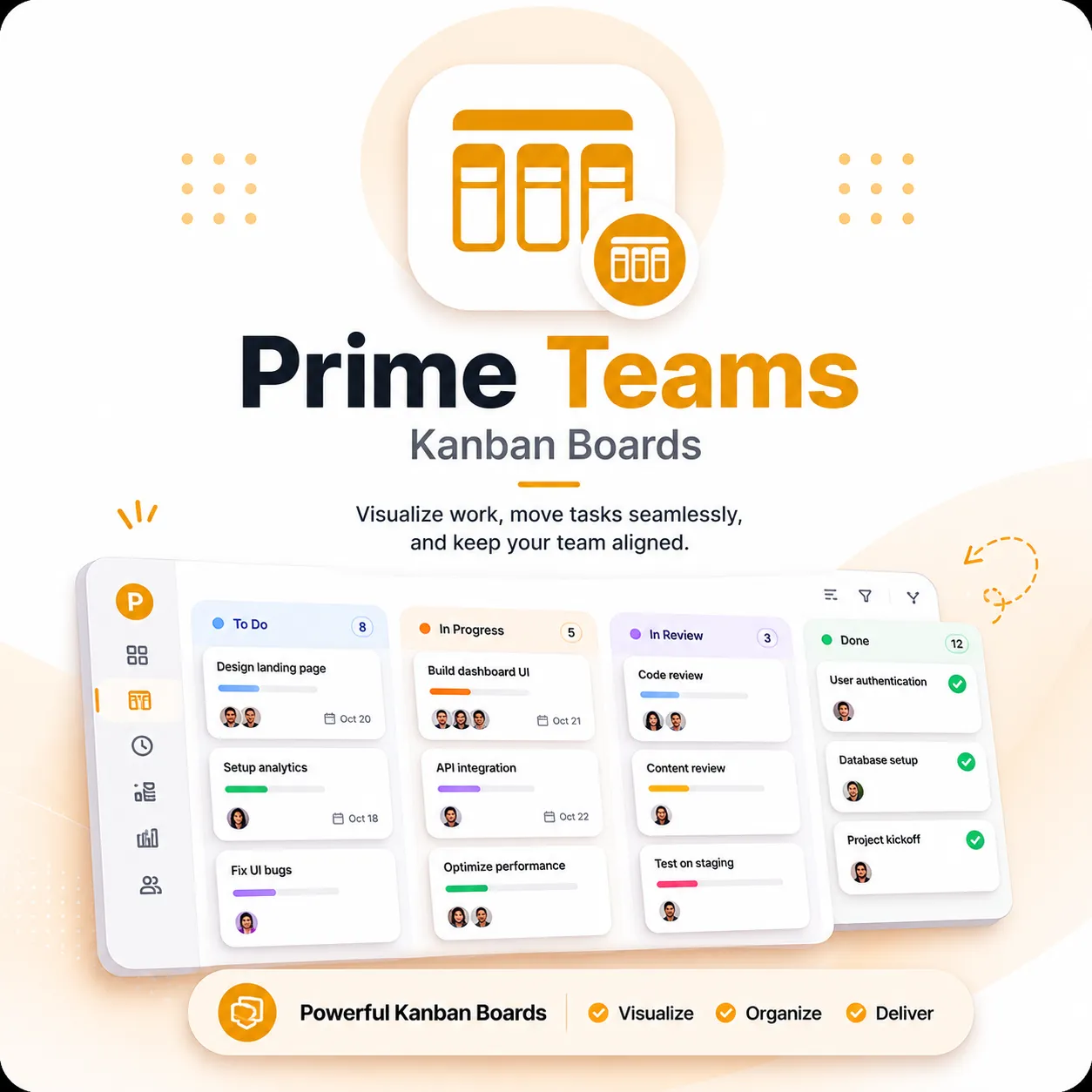
- Kanban Boards: Organize tasks visually through workflow stages.
- Productivity Reports: Analyze team activity, tracked hours, and performance trends.
- Team Management: Manage employees, departments, roles, and permissions.
- Client Management: Organize work by clients, projects, and teams.
Why Prime Teams Stands Out
Prime Teams stands out because it connects time tracking, attendance tracking, and project management in one system.
This is valuable because businesses do not only need to know how many hours were worked. They also need to know what work was done, which projects consumed time, whether employees were active, and how work is progressing.
With Prime Teams, managers can review screenshots, monitor live screens, check recorded sessions, manage Kanban boards, and analyze productivity reports without switching between multiple tools.
Example Workflow With Prime Teams
A remote agency can create a client project, assign tasks on a Kanban board, ask team members to track time on each task, review screenshots or recorded sessions when needed, check attendance, and generate productivity reports from the same platform. This helps reduce tool switching and gives managers clearer visibility into both time and project progress.
Best For
- Remote teams
- Hybrid teams
- IT and software companies
- Marketing agencies
- Outsourcing companies
- Freelancer management
- Teams that need screenshots, screen recordings, and live screen monitoring
Pros of Prime Teams
- Complete time tracking and productivity platform
- Includes live screen monitoring
- Supports screenshots and screen recordings
- Built-in attendance tracking
- Kanban project management included
- Useful reports for managers and business owners
- Reduces the need for multiple separate tools
Cons of Prime Teams
- Very small teams may not need all advanced features
- Monitoring features should be introduced with a clear company policy
Choose Prime Teams if: You need time tracking, attendance, screenshots, live screen visibility, screen recordings, productivity reports, and Kanban project management in one platform.
Prime Teams may not be the best fit if: You only need a very simple timer for personal use and do not need team visibility, monitoring, reports, or project management.
Final Verdict: Prime Teams is the best overall time tracking software for businesses that need employee time tracking, screenshots, live screen monitoring, screen recording, attendance tracking, Kanban boards, project management, and productivity reports in one platform.
Start Tracking Time with Prime Teams
2. Hubstaff — Best for Remote and Field Teams
Hubstaff is a popular time tracking software for remote teams, field teams, agencies, and businesses that need workforce management features.
Hubstaff includes time tracking, productivity insights, GPS tracking, geofencing, timesheets, invoicing, reporting, and payroll/payment support. It is especially useful for companies that manage employees in different locations.
Key Features of Hubstaff
- Employee time tracking
- Timesheets and attendance
- GPS location tracking
- Geofencing for field teams
- Productivity monitoring
- App and URL tracking
- Payroll/payment and invoicing support
- Project and task tracking
- Workforce reports
Best For
- Remote teams
- Field employees
- Mobile workforces
- Construction teams
- Delivery teams
- Businesses that need GPS tracking
Pros of Hubstaff
- Strong GPS and location tracking
- Good for remote and field teams
- Includes payroll/payment and invoicing features
- Works across desktop and mobile devices
- Useful for teams with employees in multiple locations
Cons of Hubstaff
- May feel complex for teams that only need simple tracking
- Some advanced features may require higher plans
Choose Hubstaff if: You manage field employees, mobile teams, or distributed workers and need GPS tracking, geofencing, time tracking, and payroll/payment workflows.
Hubstaff may not be the best fit if: Your business needs advanced project management with complex task allocation, live screen monitoring, screen recording, and a more unified workflow for managing projects, teams, and productivity from a single platform.
Final Verdict: Hubstaff is a strong time tracking software for businesses that manage remote employees, field workers, and mobile teams.
3. Time Doctor — Best for Workforce Analytics
Time Doctor is a time tracking and workforce analytics platform for distributed teams. It helps businesses track work hours, monitor productivity, analyze app and website usage, and understand employee work patterns.
Time Doctor is useful for companies that want deeper productivity insights rather than simple timesheets.
Key Features of Time Doctor
- Employee time tracking
- Manual and automatic tracking
- Offline time tracking
- App and website usage reports
- Productivity analytics
- Attendance tracking
- Optional screenshots
- Workforce reports
Pros of Time Doctor
- Strong productivity analytics
- Good for distributed teams
- Useful app and website usage reports
- Helps identify distractions and workflow issues
Cons of Time Doctor
- May feel analytics-heavy for small teams
- Employee monitoring features require clear communication
- Not as strong for visual project management workflows
Choose Time Doctor if: You want detailed workforce analytics, productivity monitoring, app and website usage insights, and time tracking for distributed teams.
Time Doctor may not be the best fit if: Your main priority is Kanban-based project management or a simpler time tracking experience.
Final Verdict: Time Doctor is a good time tracking software for distributed teams that need workforce analytics and productivity monitoring.
4. Clockify — Best Free Time Tracking Software for Simple Tracking
Clockify is a simple time tracking software used by freelancers, small teams, consultants, and businesses that need timesheets and billable hour tracking.
Clockify is best for teams that want straightforward time tracking, timesheets, and billable hour reports. It also offers some monitoring-related features such as screenshots, but it is not mainly positioned around live screen monitoring, screen recording, or advanced employee visibility.
Key Features of Clockify
- Timer-based time tracking
- Manual time entries
- Timesheets
- Project and task tracking
- Client tracking
- Billable and non-billable hours
- Reports and dashboards
- Desktop, mobile, and browser apps
- Optional screenshots
Pros of Clockify
- Simple and easy to use
- Good for freelancers and small teams
- Useful for billable hour tracking
- Works well for basic timesheets
Cons of Clockify
- Not focused on live employee monitoring
- No advanced live screen visibility
- Project management features are limited compared to all-in-one platforms
Choose Clockify if: You need simple time tracking, timesheets, reports, and billable hour tracking without a complex monitoring setup.
Clockify may not be the best fit if: You need live screen monitoring, screen recording, advanced attendance visibility, and built-in Kanban project management together.
Final Verdict: Clockify is a good time tracking software for freelancers and small teams that need simple time entries, timesheets, and reports.
5. Toggl Track — Best for Consultants and Creative Teams
Toggl Track is a clean and flexible time tracking software used by consultants, freelancers, creative teams, and agencies.
Toggl Track focuses on simplicity. It is ideal for teams that want to track work hours, manage billable time, and generate reports without using heavy employee monitoring features.
Key Features of Toggl Track
- One-click time tracking
- Manual time entries
- Calendar view
- Project and client tracking
- Billable hour tracking
- Idle time detection
- Reports and analytics
- Integrations with popular tools
Pros of Toggl Track
- Clean and simple interface
- Easy for employees to adopt
- Good reporting for projects and clients
- Great for consultants and creative teams
- Privacy-friendly compared with heavy monitoring tools
Cons of Toggl Track
- Not designed for deep employee monitoring
- No live screen monitoring
- Not ideal for companies that need screenshots or screen recording
Choose Toggl Track if: You want a simple, flexible, and employee-friendly time tracking app for billable hours, projects, and reports.
Toggl Track may not be the best fit if: You need advanced employee monitoring, screenshots, screen recordings, or live screen visibility.
Final Verdict: Toggl Track is a good time tracking software for teams that want simple, flexible, and privacy-friendly time tracking.
6. Insightful — Best for Employee Productivity Analytics
Insightful is a workforce analytics and employee monitoring platform that helps businesses understand productivity, activity trends, and operational efficiency.
Insightful is useful for companies that want to analyze work activity data and identify productivity gaps across teams.
Key Features of Insightful
- Employee monitoring
- Workforce analytics
- Productivity tracking
- App and website usage insights
- Activity data reports
- Team performance insights
Pros of Insightful
- Strong workforce analytics
- Useful for larger distributed teams
- Helps identify operational inefficiencies
- Good for productivity trend analysis
Cons of Insightful
- May be too analytics-heavy for small teams
- Less focused on project management
- Not ideal for businesses that only need simple timesheets
Choose Insightful if: You need workforce analytics, work activity data, productivity trends, and operational efficiency insights.
Insightful may not be the best fit if: You mainly need simple time entries, client invoicing, or visual Kanban project management.
Final Verdict: Insightful is a good time tracking and workforce analytics solution for companies that need deep productivity insights.
7. DeskTime — Best for Automatic Productivity Tracking
DeskTime is a time tracking software focused on automatic tracking, productivity analysis, attendance, and work pattern visibility.
DeskTime is useful for teams that want tracking to happen automatically instead of depending heavily on manual time entries.
Key Features of DeskTime
- Automatic time tracking
- Productivity analysis
- App and website tracking
- Attendance tracking
- Project tracking
- Screenshots
- Break and absence tracking
- Reports and dashboards
Pros of DeskTime
- Strong automatic tracking
- Useful productivity reports
- Good for attendance visibility
- Helps identify work patterns and possible burnout risks
Cons of DeskTime
- Less focused on full project management
- Monitoring should be introduced transparently
- May not be ideal for teams needing Kanban boards and client management together
Choose DeskTime if: You want automatic time tracking, productivity analysis, attendance tracking, app/website tracking, and work pattern visibility.
DeskTime may not be the best fit if: Your main priority is built-in Kanban project management or client/project workflow management in the same system.
Final Verdict: DeskTime is a good time tracking software for businesses that want automatic productivity tracking and attendance reports.
8. Everhour — Best for Project Budgeting and Billing
Everhour is a time tracking software designed for teams that need project budgeting, billing, invoicing, expense tracking, and reporting.
Everhour works well for agencies, consultants, and client service teams that need to track project profitability and billable hours, especially when they already use project management tools such as Asana, ClickUp, Monday, Linear, or similar platforms.
Key Features of Everhour
- Time tracking
- Project budgets
- Billing and invoicing
- Expense tracking
- Timesheet approvals
- Resource planning
- Reports and dashboards
- Project management integrations
Pros of Everhour
- Great for project budgets
- Useful for agencies and client work
- Strong billing and invoicing features
- Good for project profitability tracking
Cons of Everhour
- Not mainly built for employee monitoring
- No strong live screen monitoring features
- Often works best when connected with other project tools
Choose Everhour if: You need time tracking, project budgets, billing, invoicing, expense tracking, and integrations with your existing project management tools.
Everhour may not be the best fit if: You need employee monitoring, live screen monitoring, screenshots, or screen recordings as core features.
Final Verdict: Everhour is a strong time tracking software for teams that care about budgets, billing, invoicing, and project profitability.
9. Harvest — Best for Time Tracking and Invoicing
Harvest is a simple and reliable time tracking software for agencies, consultants, freelancers, and service businesses.
Harvest focuses on tracking hours, managing expenses, creating invoices, and helping businesses understand project profitability.
Key Features of Harvest
- Time tracking
- Timesheets
- Expense tracking
- Invoicing
- Project and client reporting
- Approval workflows
- Team reports
Pros of Harvest
- Simple and reliable
- Good for invoicing and expenses
- Useful for consultants and agencies
- Easy reporting for billable time
Cons of Harvest
- Limited employee monitoring features
- No live screen tracking
- Not ideal for teams that need screenshots and screen recordings
Choose Harvest if: You need simple time tracking, expenses, invoicing, and reports for agency, consulting, or client-service work.
Harvest may not be the best fit if: You need employee monitoring, live screen tracking, screenshots, screen recordings, or built-in Kanban project management.
Final Verdict: Harvest is a good time tracking software for service businesses that need simple time tracking, expenses, invoicing, and billing reports.
10. RescueTime — Best for Personal Productivity Tracking
RescueTime is a productivity tracking tool that helps individuals and professionals understand how time is spent across apps, websites, and digital activities.
RescueTime is more focused on personal productivity, focus improvement, goals, and distraction reduction than traditional employee monitoring or team management.
Key Features of RescueTime
- Automatic activity tracking
- Website and app usage insights
- Focus sessions
- Distraction blocking
- Productivity reports
- Goal tracking
- Timesheets and project tracking depending on plan
Pros of RescueTime
- Great for personal productivity
- Helps reduce distractions
- Useful for focus improvement
- Simple automatic tracking
Cons of RescueTime
- Not a complete employee time tracking platform
- Not ideal for attendance management
- No full project management or employee monitoring features
Choose RescueTime if: You want to understand personal work habits, reduce distractions, improve focus, and track digital activity automatically.
RescueTime may not be the best fit if: You need team attendance tracking, employee monitoring, live screen tracking, screenshots, or project management workflows.
Final Verdict: RescueTime is best for individuals and professionals who want to improve focus and understand personal productivity habits.
Important Features to Look for in Time Tracking Software
The best time tracking software should match your business workflow. Before choosing a tool, look for features that support your team size, work style, and management needs.
- Time Tracking: Track employee work hours accurately across projects and tasks.
- Automatic Tracking: Reduce manual errors and improve tracking accuracy.
- Manual Time Entries: Allow employees to add or adjust time when required.
- Screenshots: Improve transparency for remote and distributed teams.
- Screen Recording: Review work sessions when deeper visibility is needed.
- Live Screen Monitoring: View real-time work activity for remote team management.
- Attendance Tracking: Manage clock-ins, clock-outs, breaks, and daily work hours.
- Project Management: Connect tracked time with tasks, projects, and deadlines.
- Productivity Reports: Understand work patterns, idle time, and team performance.
- Client and Project Reports: Track billable hours and project profitability.
- Privacy and Transparency Controls: Make sure monitoring features are introduced with a clear company policy.
Time Tracking Software Comparison by Use Case
| Use Case | Best Software | Why |
|---|---|---|
| Best overall time tracking software | Prime Teams | Complete time tracking, monitoring, attendance, project management, and reporting platform |
| Best for remote teams | Prime Teams, Hubstaff, Time Doctor | Strong visibility, monitoring, time tracking, and productivity tracking features |
| Best for agencies | Prime Teams, Everhour, Harvest | Useful for projects, clients, billable hours, reporting, and team visibility |
| Best for simple time tracking | Clockify, Toggl Track | Easy time entries, timesheets, billable hours, and basic reports |
| Best for employee monitoring | Prime Teams, Time Doctor, Insightful | Activity visibility, productivity insights, and monitoring features |
| Best for field teams | Hubstaff | GPS tracking, geofencing, mobile workforce tracking, and timesheets |
| Best for project budgeting and billing | Everhour, Harvest | Budgets, billable hours, expenses, invoices, and project profitability reports |
| Best for project management with time tracking | Prime Teams | Built-in project management, Kanban boards, time tracking, attendance, and productivity reports |
Responsible Use of Employee Time Tracking Software
Time tracking and employee monitoring features should be used responsibly. Businesses should clearly explain what is being tracked, why it is being tracked, when tracking is active, and how the data will be used.
The goal should not be micromanagement. The goal should be better visibility, fair accountability, accurate billing, improved attendance records, and clearer project reporting.
Frequently Asked Questions About Time Tracking Software
What is the best time tracking software in 2026?
The best time tracking software depends on your business needs. For teams that need time tracking, screenshots, live screen monitoring, screen recording, attendance tracking, reports, and project management, Prime Teams is one of the best overall choices.
What is time tracking software used for?
Time tracking software is used to track employee work hours, project time, billable hours, attendance, productivity, and team performance.
Is time tracking software useful for remote teams?
Yes. Time tracking software is very useful for remote teams because it helps managers track work hours, monitor productivity, review activity, and understand project progress.
Does time tracking software improve productivity?
Yes. Time tracking software can improve productivity by showing how work hours are spent, reducing wasted time, improving accountability, and helping managers identify workflow issues.
What is the difference between time tracking and employee monitoring?
Time tracking records work hours, while employee monitoring gives deeper visibility into activity, screenshots, app usage, screen activity, and productivity patterns.
Which time tracking software includes screenshots?
Prime Teams includes screenshot tracking along with live screen monitoring and screen recording, making it useful for businesses that need stronger productivity visibility.
Which time tracking software is best for agencies?
Prime Teams, Everhour, Harvest, and Hubstaff are useful for agencies. Prime Teams is best when agencies need time tracking, team monitoring, project management, and productivity reports together.
Can time tracking software track attendance?
Many time tracking software solutions include attendance tracking features that record employee clock-ins, clock-outs, breaks, and total work hours. Prime Teams also includes built-in attendance tracking, helping businesses manage attendance, work hours, and productivity from a single platform.
Is time tracking software legal?
In many regions, time tracking software is legal when used transparently and in compliance with applicable labor, employment, and privacy laws. Businesses should clearly explain what is being tracked, why it is being tracked, and how the information will be used. Since legal requirements vary by country, state, and region, businesses should check the applicable laws in their jurisdiction before implementing employee time tracking or monitoring software.
How do I choose the right time tracking software?
Choose time tracking software based on your team size, remote work needs, monitoring requirements, project management workflow, reporting needs, ease of use, and budget.
Conclusion: Which Time Tracking Software Should You Choose?
If you only need simple time entries and timesheets, tools like Clockify, Toggl Track, or Harvest may be enough. If you need workforce analytics, Time Doctor or Insightful may be suitable. If you manage field employees, Hubstaff can be a strong option.
However, if your business needs a complete time tracking software solution with employee monitoring, live screen visibility, screenshots, screen recording, attendance tracking, productivity reports, and Kanban project management, Prime Teams is the best overall choice for growing teams in 2026.
With Prime Teams, businesses can track employee work hours, manage remote teams, organize projects, monitor productivity, and improve accountability from one centralized platform.
Editorial Review
This comparison was prepared by the Prime Teams editorial team after reviewing publicly available product information, official documentation, feature sets, and common business use cases. Our goal is to help businesses compare leading employee time tracking software based on functionality, productivity features, project management capabilities, ease of use, and overall business value. The comparison considers functionality, usability, business use cases, and overall value rather than relying on a single feature.
Disclosure
Prime Teams is our own product and is included in this comparison alongside other leading time tracking software. While we believe it offers an excellent all-in-one solution, every business has different requirements. We encourage readers to evaluate each platform carefully and choose the software that best fits their workflow, team size, and business needs.